Turn the documents you send again and again into templates that fill themselves.
Not another AI assistant. DocuWeave does one thing: it turns your example documents into templates, and your paperwork into finished documents.
This agreement is dated 6 October 2026 and is made between Harper & Lane LLP (the “Consultancy”) and Northwind Freight Limited, registered in England and Wales with number 09876543, whose registered office is at Unit 3, Riverside Park, Hull HU2 8PD (the “Client”).
The Consultancy will provide operational review services to the Client from 1 June 2026 for a term of 12 months (the “Term”).
The Client will pay the Consultancy a day rate of £1,250 plus VAT, and will pay each invoice within 30 days.
The Client will respond to requests for information within 5 working days.
This agreement is dated Agreement date and is made between Harper & Lane LLP (the “Consultancy”) and Client company, registered in England and Wales with number Company number, whose registered office is at Registered office (the “Client”).
The Consultancy will provide Services to the Client from Start date for a term of Term months (the “Term”).
The Client will pay the Consultancy a day rate of Day rate plus VAT, and will pay each invoice within Payment terms days.
The Client will respond to requests for information within Response time working days.
For Restriction months after this agreement ends, neither party will solicit staff of the other who worked on the Services.
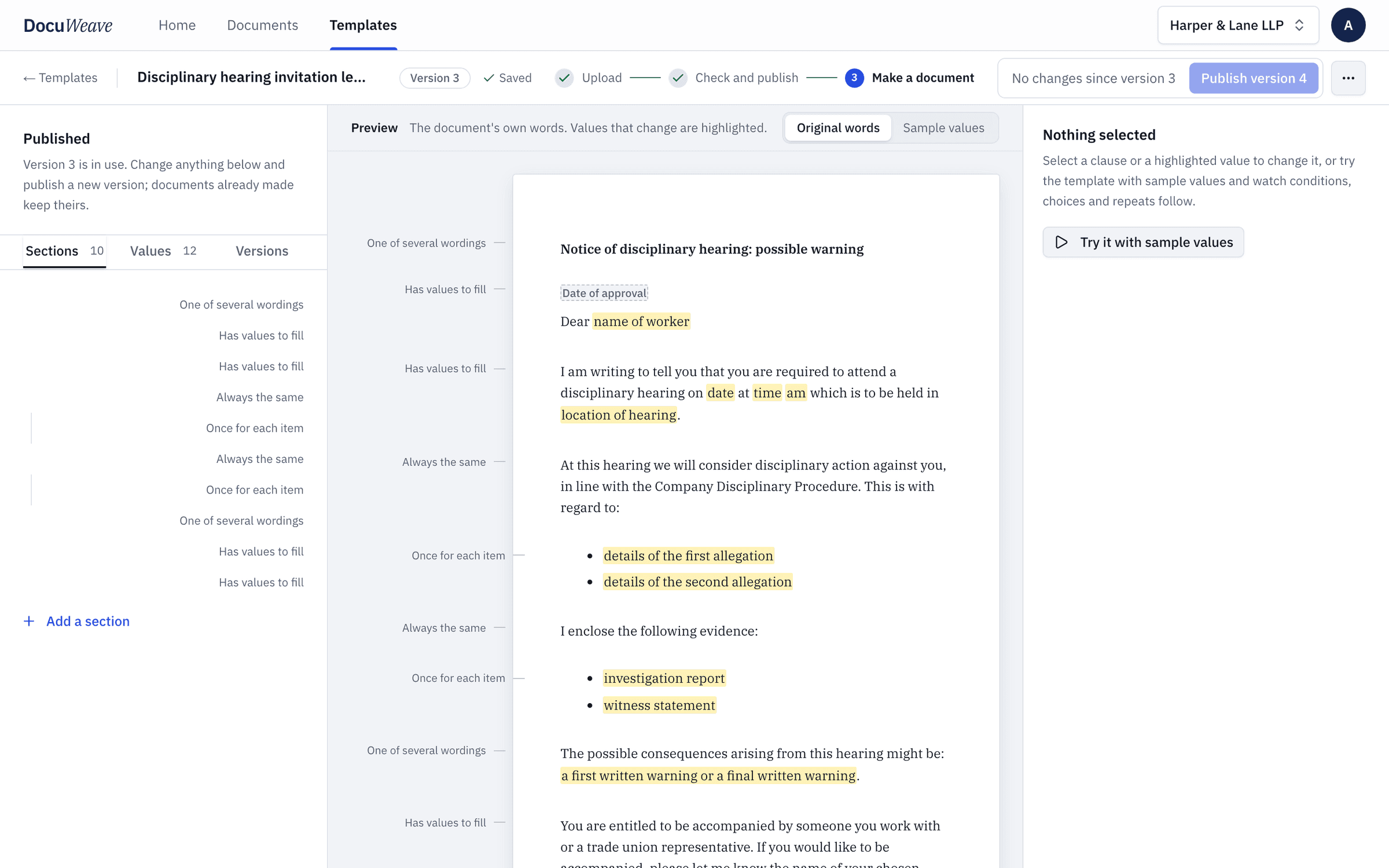
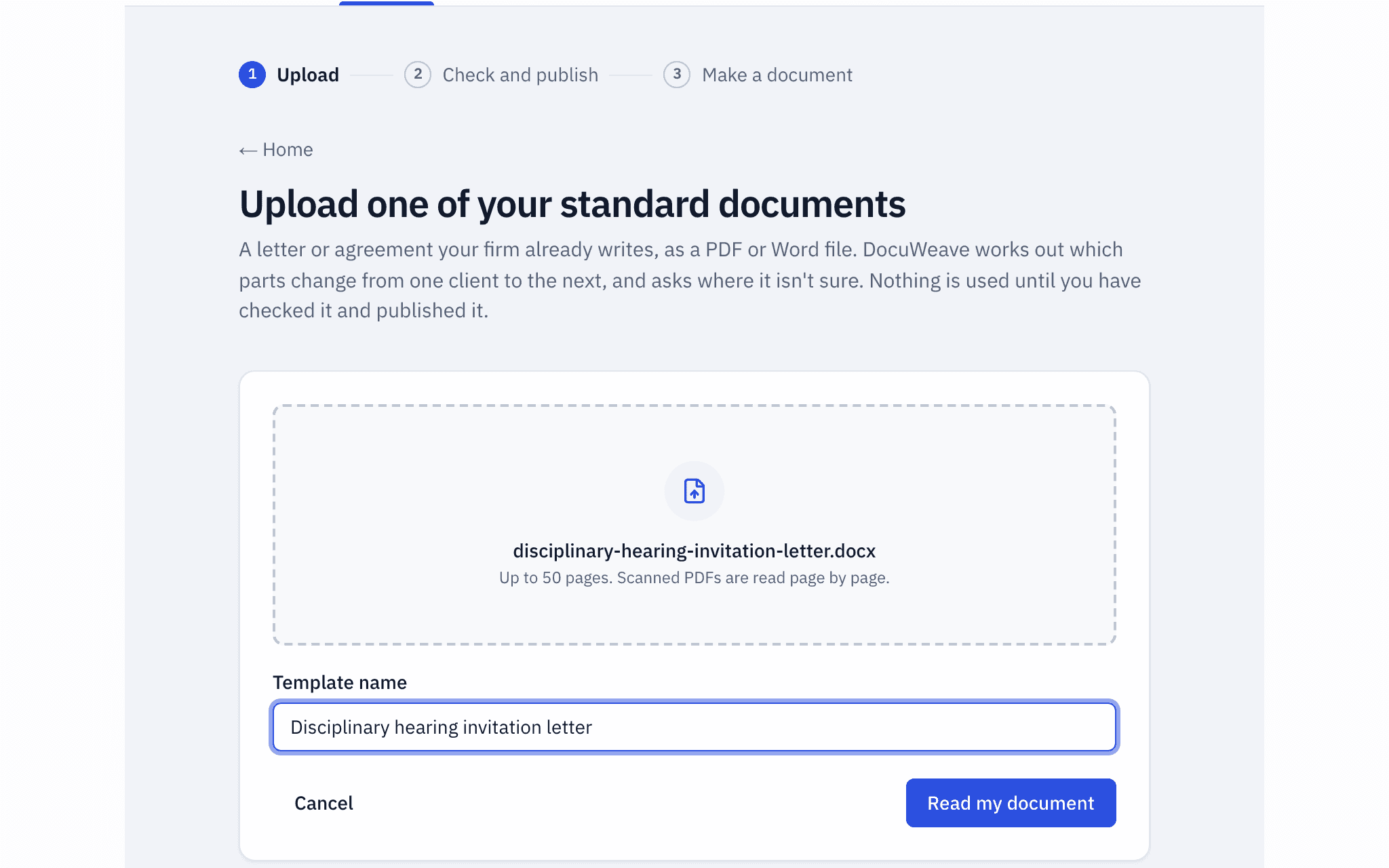
Create templates from your documents
Upload a document you already send. DocuWeave turns it into a template you can produce again and again, in your own words.
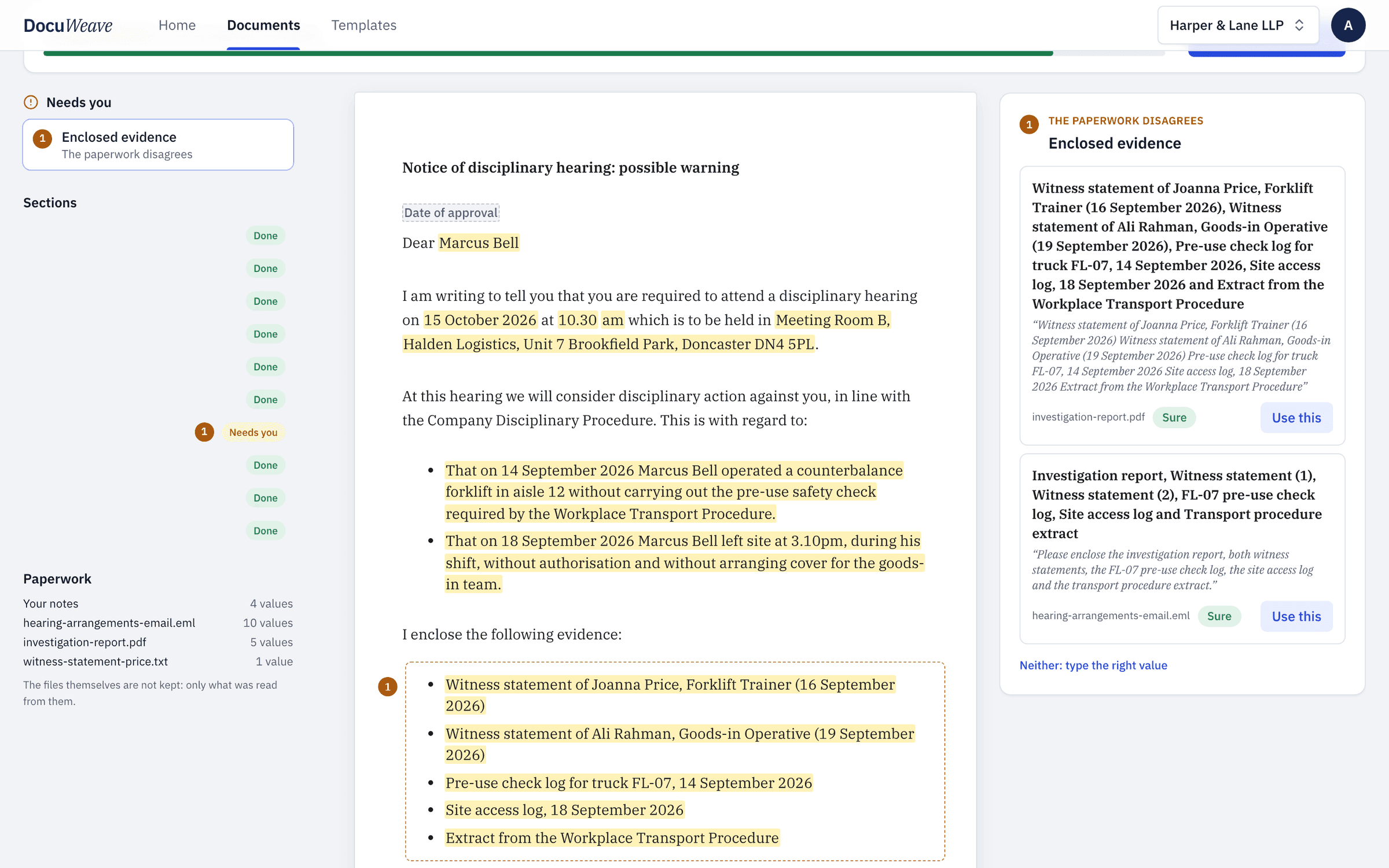
Rules in plain English
Decide what goes into each document, without code or special markup.
“Include non-solicitation only when the term is over 6 months.”
- Term of 12 monthsincluded
- Term of 3 monthsleft out
Clauses that appear only when they should
“Include non-solicitation only when the term is over 6 months”
“Governing law: England and Wales, or Scotland.”
Chosen for each document from its paperwork, or by you.
Alternative wordings
Write the options once; the right one is chosen for each document
“A payment row for each instalment.”
| Instalment | Due | Amount |
|---|---|---|
| 1 | 1 June 2026 | £4,000 |
| 2 | 1 September 2026 | £4,000 |
| 3 | 1 December 2026 | £4,000 |
Three instalments in the paperwork, three rows in the document. Four next time.
A clause for every item
A payment row per instalment, a paragraph per person
Documents that fill themselves
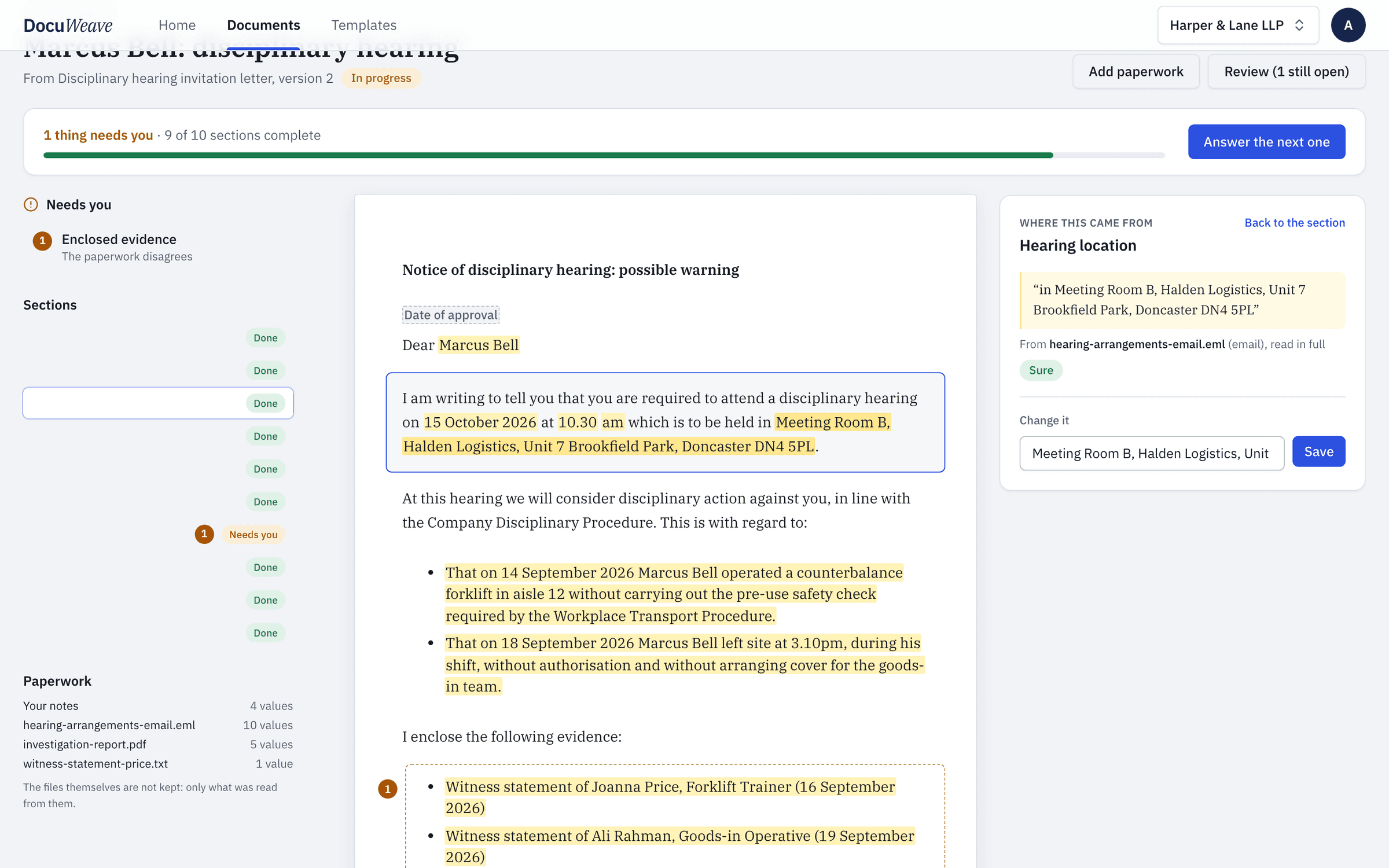
Drop in the paperwork you have. DocuWeave fills the template and asks only about what it can’t find.
- 1
Every value shows its source
The quoted passage and the file it came from
- 2
Catches disagreements
When two documents disagree, it shows both and asks you to choose
- 3
Asks only what’s missing
A short list, answered one at a time
Review, approve, download
Nothing leaves until a person has approved it.
Review only what needs judgement
Changed sections, AI decisions and values worth checking
Checked against your guidance
Every clause, before approval
Word and PDF in your branding
Logo, fonts and numbering, exactly as approved
Gets better the more you use it
DocuWeave learns from how your team works.
Reads familiar paperwork faster
A certificate seen once is quicker the next time
Suggests template improvements
When three documents add the same clause, it offers to add it to the template
Shows what gets changed most
Which clauses don’t fit, so you can fix the template
Your clients’ data stays yours.
Paperwork never leaves your browser
Read on your device; only its text is sent.
Each firm’s data kept apart
One organisation can never reach another’s templates or documents.
A record of every approval
Who, when, and exactly what.
The documents your industry sends again and again
- 33 documents
HR and employment
- Job offer letter
- Fixed-term employment contract
- Zero hours contract
- Disciplinary hearing invitation letter
- Redundancy letter
- Flexible working decision letter
- 22 documents
Property and lettings
- HMO room tenancy agreement
- Deposit prescribed information
- Rent arrears letter
- Section 20 notice of intention
- Heads of terms for a commercial lease
- Landlord reference letter
- 60 documents
Agencies, consultancies and professional services
- Mutual non-disclosure agreement (NDA)
- Statement of work
- Letter of engagement
- Freelance contract
- Quotation
- Master services agreement
- 27 documents
Legal
- Client care letter
- Loan agreement
- Partnership agreement
- Board meeting minutes
- Contract variation agreement
- Without prejudice offer letter
Don’t see yours? Upload the version you send.
Start with a document you already send.
Upload one, check what DocuWeave found, and publish it. Nothing is used until you do.
10 founding places: a free year of Team.